
Changed your phone number or moved house? Check your dog’s microchip record. A chip only helps someone contact you if the details attached to it are current.
What the chip does
A microchip holds an identification number. A vet, dog warden or rescue can scan it and use that number to find the registered keeper’s details. It isn’t a GPS tracker and doesn’t send out a live location. PDSA explains how microchips work.
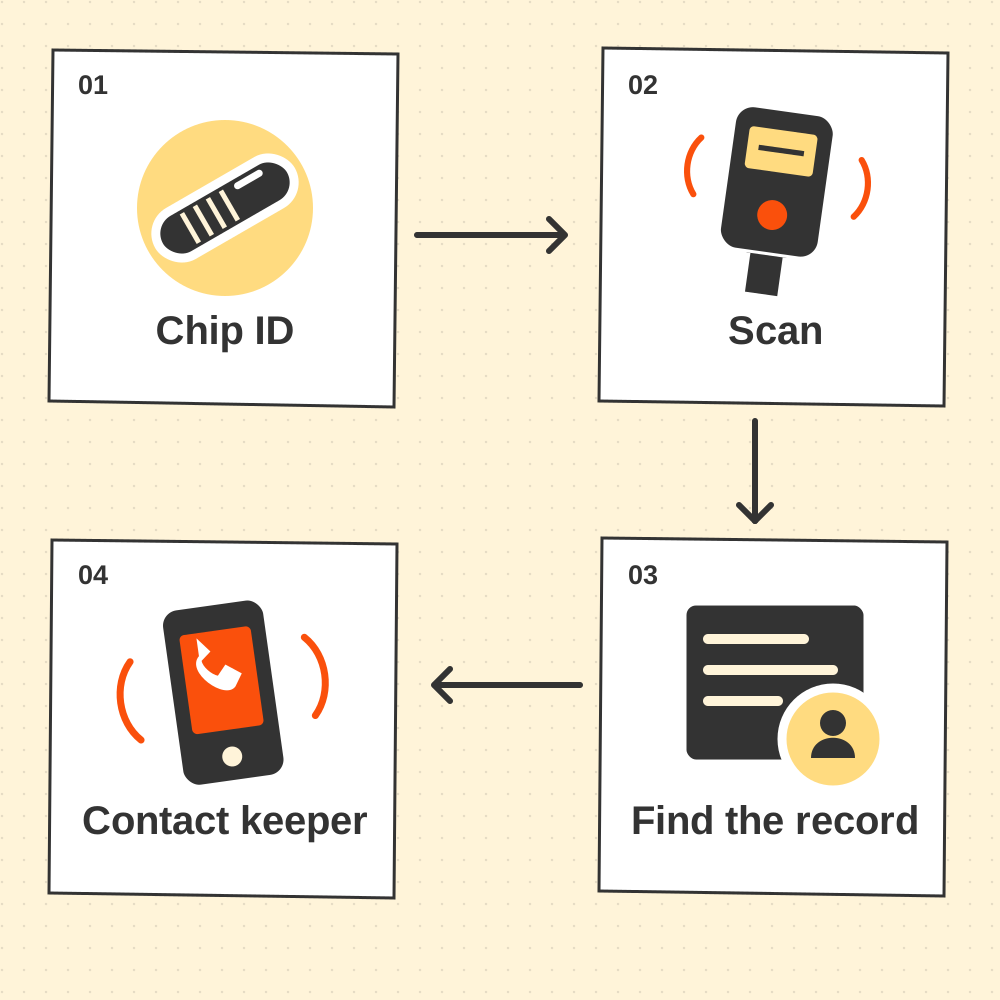
Check these three things
- The database. Find the company on your microchip paperwork. If you have the chip number but don’t know the company, GOV.UK links to a lookup service.
- Your details. Check your name, address and phone number. Contact the database provider to update them. There may be a charge.
- The confirmation. Check that your changes have been saved and keep the updated record with your dog’s documents.
Don’t know the chip number? A vet, dog warden or rescue centre can scan your dog for it. The official microchipping guidance lists recognised databases and the lookup service.
New dog? Check the transfer
If your dog came from another home, check that the database’s transfer process has been completed. Your contact details need to replace the previous keeper’s. PDSA explains how keeper details are changed.
Check the collar tag too
GOV.UK says dogs must still wear a collar and tag with your name and address in public. A microchip doesn’t replace that. Check the tag is readable while you’re updating the paperwork.
Check both.
Your microchip record needs current details. Your collar tag needs a readable name and address.
Sources checked 15 November 2026. General pet information, not advice for an individual animal. If your pet seems unwell or their behaviour changes suddenly, speak to your vet.
Pet portraits are illustrative artwork. Read our editorial approach.